 Murach’s Python for Data Science (2nd Edition)
 AI-Assisted Programming with Copilot
Murach college books and courseware since 1974



Customer Service 1-800-221-5528

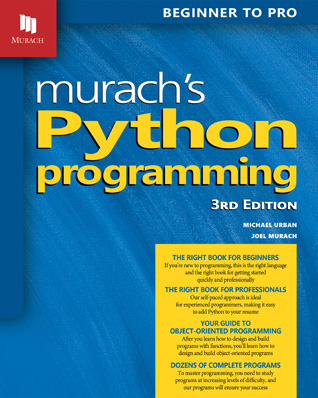
Because of its simple syntax, full set of features, and wide range of applications, Python is an ideal language for a first programming course. Our book takes advantage of the Python syntax and features to make it easier than ever for you to teach beginners how to program. Using our book, you can help your students build a foundation that’s common to all programming languages and prepares them for mastering the software development skills that employers demand today.
You are currently on the Murach site for instructors. This book will be available for sale on our retail site in July.
Today my whole class chimed in to tell me how much they love your Python book. I was shocked...it came out of nowhere. They told me it's the clearest textbook they have and wish all their textbooks used the same format."
To present the essential Python skills in a manageable progression and at the right pace, this book is divided into 4 sections.
Section 1 presents an 8-chapter course in Python programming that gets your students off to a solid start. By the end of chapter 2, they’ll have developed their first Python programs. These programs get input, process it, and display output. That’s so much more motivating (and fun!) than writing a “Hello World” program! This section is designed for beginners, but you can adapt the pace if your students have already taken an introductory programming course.
By the time your students finish chapter 4, they’ll be able to develop, test, and debug Python programs that are built entirely of modules and functions. They’ll also be able to use pseudocode to plan their control structures and programs, and to use hierarchy charts to plan the functions of their programs. Then, in chapter 5, they’ll learn advanced techniques for testing and debugging their programs, including how to create unit tests.
In chapters 6, 7, and 8, your students will learn how to use lists and tuples, how to use files for persistent data storage, and how to handle exceptions. This completes a section that by itself is an excellent first course in programming.
The first 4 chapters in section 2 present more skills that every Python programmer should have. That includes how to work with numbers, strings, dates and times, and dictionaries. Then, the last chapter in this section presents algorithms and recursion.
All of the chapters in this section are optional. As a result, if you want, you can skip from section 1 to section 3. Then, you can come back to these chapters later, if you have time.
In addition, all of the chapters in this section are independent of one another. As a result, you can assign them in whatever sequence you prefer. This makes it easy for you to adapt this book to the time constraints and requirements of your course.
The 3 chapters in section 3 present essential skills for working with objects and designing an object-oriented program. These skills are the same in all modern programming languages. As a result, once your students master them in Python, they’ll be able to apply these skills to other languages.
The 2 chapters in section 4 introduce database programming and GUI programming. This brings all of the skills of sections 1 and 3 into the context of real-world programming. For instance, the last database program in chapter 17 is a 3-tier, object-oriented program, complete with functions, modules, and classes.
This book is specifically designed for a first course in programming. We recommend students learn Python before other programming languages because of its simple syntax and full feature set. Once your students learn Python, they’ll be ready to learn a second language like Java, C++, or C#. They’ll also be ready to use their Python skills to go on to courses in data science, web development, games programming, or artificial intelligence.
If you offer a second course in programming that goes beyond your introductory course, this book will work for that too. Thanks to its paired-pages format, it’s easy for your students to move quickly over familiar material and slow down to concentrate on any skills that are difficult for them. This helps them clarify foundational skills before moving on to more advanced skills like object-oriented programming, database programming, and GUI programming.
We’ve designed this book to help your students learn faster and better than ever. Here are a few of the ways it does that:
All of the software recommended for this book can be downloaded from the internet for free and installed as described in appendix A (Windows) or B (macOS).
Installing Python also installs an integrated development environment called IDLE. Since this IDE makes it easy for students to get started with Python, your students just need to install Python to set up their computers for this course.
Chapter 17 shows how to use Python to work with a relational database. If you include this chapter in your course, your students should install DB Browser for SQLite. This makes it easy for them to work with a SQLite database, a popular embedded database that this chapter uses to illustrate skills that apply to most databases.
This 3rd Edition has been thoroughly updated to Python 3.14. However, the table of contents for this book remains unchanged. As a result, if you used an earlier edition, you’ll find it easy to update your course to the 3rd Edition.
When we updated this book, we added coverage of useful Python features introduced between Python 3.9 and 3.14. We also added coverage of some features that have been around prior to Python 3.9 but have become more important in recent years. In addition, we used feedback from instructors to improve some other parts of the book. Here’s a quick summary of the changes:
"Today my whole class chimed in to tell me how much they love your Python book. I was shocked...it came out of nowhere. They told me it's the clearest textbook they have and wish all their textbooks used the same format."
- Elizabeth Drake, Professor/Programming & Analysis, Gainesville, Florida
“I've been a fan of Murach's approach to teaching programming concepts and practices for many years. Now they've finally published a book on Python, and they've done a wonderful job. The book explores a wide breadth of topics to get you competent in the language and the conventions used by the Python community. A valuable resource for coders of all levels.”
- Jason Salas, Developer
“Murach isn't a publisher I was familiar with so I was surprised when I started reading its Python book and found it to be of such high quality. The text is clear and the examples are interesting. I really like that you get to write mini-programs in almost all of the chapters and they almost always do something besides just printing out a string.”
- Mike Driscoll, Programmer, Mouse vs Python blog
“This is by far the best Python tutorial I have come across. Tried Udemy, Udacity, some other video and printed tutorials, but didn’t get the feel of it. Murach's side-by-side lecture & example really works for me. And the sample codes and exercises are valuable tutorials that any newbie will want to keep as reference materials. Really effective training style.”
- Posted at an online bookseller
“Best programming book on Python. You'll learn to love Murach's books. I learned Python and now I'm learning Java. I bought Murach's Java book even though we're using another one for class.”
- Posted online by a student
“YouTube is not the same, this is way better: This book is super detailed in the right ways to learn. I have bought about three different authors and this guy is the best if you’re new and want to learn! Thank you for being such a great teacher.”
- Posted at an online bookseller
“I found this to be a fantastic book for taking folk with no Python knowledge to a good firm grasp to develop their own projects, as well as folk with some knowledge who want to shore up the gaps.
“Each chapter does a really great job succinctly explaining the concept, why you would use it, has relevant code, and great summary/exercises to reinforce the area. The code is clean, well formatted, and uses great naming conventions. The projects and examples are spot on.
“As a moderate Python user, I definitely learned a few new tricks, and reduced some complexity in my code. I have no qualms recommending this book for folk looking to pick up Python and use it!”
- Jeremy Johnson, DreamInCode.net
“This is now my third text book for python, and it is the ONLY one that has made me feel comfortable solving and reading problems or code respectively. The paired pages approach is fantastic, and it is probably the reason that makes learning the syntax, rules, and conventions understandable for me. I really do appreciate the authors’ ability to bring the concepts to life with this approach.”
- Posted at an online bookseller
“Amazing book, I knew absolutely nothing about programming, now racing ahead of classes having used this book before I started schooling.”
- Posted at an online bookseller
View the table of contents for this book in a PDF: Table of Contents (PDF)
Click on any chapter title to display or hide its content.
Why Python works so well as your first programming language
Three types of Python applications
The source code for a console application
How Python compiles and runs source code
How disk storage and main memory work together
How to use the interactive shell
How to work with source files
How to compile and run a program
How to fix syntax and runtime errors
How to code statements
How to code comments
How to use functions
How to assign values to variables
How to name variables
How to code arithmetic expressions
How to use arithmetic expressions in assignment statements
How to use the interactive shell for testing numeric operations
How to assign strings to variables
How to join strings
How to include special characters in strings
How to use the interactive shell for testing string operations
How to use the print() function
How to use the input() function
How to use the int(), float(), and round() functions
How to nest functions
The Miles Per Gallon program
The Test Scores program
How to use the relational operators
How to use the logical operators
How to compare strings
How to code if statements
More examples of if statements
How to code nested if statements
How to use pseudocode to plan if statements
How to code match/case statements
The Miles Per Gallon program
The Invoice program
How to code while statements
How to code for statements
How to code break and continue statements
More examples of loops
How to use assignment expressions
How to use pseudocode to plan a program
The Test Scores program
The Future Value program
How to define and call a function
How to define and call a main() function
The Future Value program with functions
How to use default values for parameters
How to use named arguments
When and how to use local and global variables
How to return multiple values
How to create a module
How to import a module
How to document a module
The Convert Temperatures program
How to use the random module
The Guess the Number game
How to use a hierarchy chart
The hierarchy chart for the Pig Dice game
The Pig Dice game
The three types of errors that can occur
Common Python errors
How to plan the test runs
A simple way to trace code execution
How to use top-down coding and testing to simplify debugging
How to use the IDLE shell to test functions
How to set and remove breakpoints
How to step through the code
How to view the stack
A module that contains doctests
How to run doctests
How to create doctests
A file that contains pytests for a module
How to run pytests
How to write assertions
How to create pytests
How to create a list
How to get and set items
How to add and remove items
How to process the items in a list
More skills for processing the items in a list
How lists are passed to functions
The Movie List program
How to create a list of lists
How to process the items in a list of lists
The Movie List 2D program
How to count, reverse, and sort the items in a list
How to get minimum, maximum, sum, and random values from a list
How to copy, slice, and concatenate lists
How to map, filter, and reduce the items in a list
How to work with list comprehensions
How to use pattern matching with lists
How to create a tuple
How to get items from a tuple
The Number Crunching program
How file I/O works
How to open and close a file
How to write a text file
How to read a text file
How to work with a list in a text file
The Movie List 1.0 program
How to write a CSV file
How to read a CSV file
How to modify the CSV format
The Movie List 2.0 program
How to work with a binary file
The Movie List 3.0 program
How exceptions work
How to use a try statement to handle one type of exception
The Total Calculator program
How to use a try statement to handle multiple exceptions
How to get the information from an exception object
The Movie List 2.0 program
How to use a finally clause
How to raise an exception
How floating-point numbers work
How to use the math module
How to use format specifications with f-strings
How to use the locale module
How to fix rounding errors
How to use the decimal module
The Invoice program with decimal numbers
The Future Value program with decimal numbers
Unicode, indexes, slicing, duplicating, and multiline strings
How to search a string
How to loop through the characters in a string
How to use basic string methods
How to find, remove, and replace parts of a string
The Create Account program
How to split a string into a list of strings
How to join strings
The Movie List 2.0 program
The Word Counter program
The user interface
The hierarchy chart
The wordlist module
The hangman module
How to create date, time, and datetime objects
How to create datetime objects by parsing strings
How to format dates and times
How to work with spans of time
The Invoice Due Date program
The Timer program
How to get date and time parts
How to compare date/time objects
The Hotel Reservation program
How to create a dictionary
How to get, set, and add items
How to delete items
How to loop through keys and values
How to convert between dictionaries and lists
The Country Code program
The Word Counter program
How to use the merge and update operators
How to use dictionaries with complex objects as values
How to use pattern matching with dictionaries
The Book Catalog program
How recursion works in Python
How to use recursion to add a range of numbers
How to compute the factorial of a number
How to compute a Fibonacci series
An algorithm for solving the Towers of Hanoi puzzle
The code for solving the Towers of Hanoi puzzle
Two UML diagrams for the Product class
Code that defines a Product class
Code that uses a Product class
How to create and use objects
How to code attributes with a data class
How to code methods
The Product Viewer 1.0 program
How to code attributes with a constructor
How object composition works
The Die and Dice classes
The Dice Roller 1.0 program
How object encapsulation works
How to hide attributes
How to access hidden attributes with methods
How to access hidden attributes with properties
The Die and Dice classes with encapsulation
The Product class with some encapsulation
The console
The code
How inheritance works
How to define a subclass
How polymorphism works
How to check an object s type
The objects module
The user interface and product_viewer module
How to define a string representation for an object
How to define an iterator for an object
The Die and Dice classes
How to work with custom exceptions
When to use inheritance
Five steps for designing an object-oriented program
How to identify the data attributes
How to subdivide the data attributes
How to identify the classes
How to identify the methods and properties
How the three-tier architecture works
The business tier
The database tier
The presentation tier
How a database table is organized
How the tables in a database are related
How the columns in a table are defined
How to select data from a single table
How to select data from multiple tables
How to insert, update, and delete rows
How to use DB Browser to view and edit a table in a SQLite database
How to use DB Browser to run SQL statements
How to connect to a SQLite database
How to execute SELECT statements
How to get the rows in a result set
How to execute INSERT, UPDATE, and DELETE statements
How to test the database code
How to handle database exceptions
The user interface
The business tier
The database tier
The presentation tier
How to display a root window
How to work with frames and buttons
How to handle a button click event
How to work with labels and text entry fields
How to lay out components in a grid
How to code a class that defines a frame
How to display a message box
How to work with combo boxes
How to improve the user experience (UX)
The business module
The ui module
How to work with a table of data
How to handle events
The user interface
The ui module
How to install the source code for this book
How to install Python and IDLE
How to install DB Browser for SQLite
How to verify or restore a database
How to install the source code for this book
How to install Python and IDLE
How to verify that Python and IDLE are working correctly
How to install DB Browser for SQLite
How to verify or restore a database
We want to make it easy for you to teach an effective course with our book, and we don’t want to provide busywork for your students. To make that possible, we supply a complete set of streamlined instructor’s materials. These materials provide all the files you need to run a complete Python course.
For a detailed description of all the materials, please see the Instructor’s Summary PDF when it becomes available.
We'll be posting answers to the frequently asked questions (FAQs) for this book here. So, if you have any questions, please send them to us by email. Thanks!
There are no book corrections that we know of at this time. But if you find any errors in this book, please send them to us by email, so we can post the corrections here. Thanks!
This is our site for college instructors. To buy Murach books, please visit our retail site.