Murach college books and courseware since 1974



Customer Service 1-800-221-5528

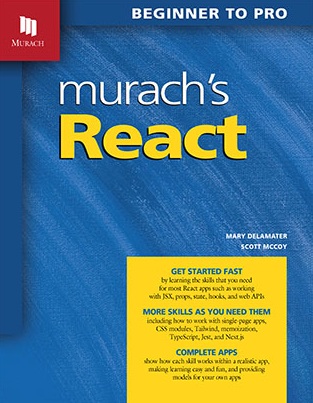
React is a complex subject, but this book carefully presents each skill in a sequence that makes it possible for your students to learn faster and better than ever. When they’re done, they’ll have the React skills that are in such high demand today! The only prerequisites are basic skills in HTML, CSS, and JavaScript.
The Canvas course file will contain all the objectives, quizzes, exercises, case studies, and PowerPoint slides that you need to run an effective course. It only takes a few clicks to import it into the Canvas LMS. Then, you can customize it for your course. Learn more.
Our students always give feedback on their end-of-course evaluations that Murach textbooks are so well organized and easy to follow, with plenty of code examples, figures, and instructions."
This book begins with a seven-chapter crash course that teaches the basics of React development. These chapters show how to…
After the first seven chapters, the modular design of this book lets you jump to any other chapter to learn new skills as you need them. These skills include how to…
All of the software recommended for this book can be downloaded from the internet for free.
This book shows how to use VS Code to develop React apps because it’s an excellent IDE that you can use to write the HTML, CSS, and JavaScript that’s needed by React apps. In addition, VS Code provides an integrated terminal that provides access to the command line.
This book shows how to use Node.js to install most of the packages required for React development. In addition, it shows how to use Node.js to run a web API that provides the data for a React app.
Developing a React app requires writing HTML, CSS, and JavaScript. Because of that, the prerequisites for this book are a basic understanding of these subjects. If your students have taken a course in HTML/CSS and a course in JavaScript, they should have the prerequisite skills for this book.
In case your students need some help with JavaScript, this book reviews some JavaScript skills and expands on others. For example, chapter 2 explains how functional programming works in JavaScript and how it’s typically used in React apps. Similarly, chapter 12 shows how to add static typing to a React app by using a superset of JavaScript known as TypeScript.
This book doesn’t use the paired-pages format used by most previous Murach books. Instead, it uses the single-page format used by most books. That’s because we think the single-page format works better for eBooks, and more than half of our customers now use eBooks. We have tried to retain as many elements of our paired-pages format as possible, but we have modified them to make them work with the single-page format. If you have opinions about this change, let us know what you think!
“This is my first exposure to Murach’s books, and I love them. I like the organization of the content, the consistent approach in each book, and the accuracy of the material.”
— Bob L., Michigan
“I can’t praise this book highly enough. The clarity used in picking what to include, when to introduce it, and how to do so is remarkable.”
— Charles Ferguson, Software Developer, Australia
“Another thing I like is the exercises at the end of each chapter. They’re a great way to reinforce the main points of each chapter and force you to get your hands dirty.”
— Hien Luu, SD Forum/Java SIG
“Your book was indispensable to me. The answers were right there at every turn. All the examples made sense, and they all worked!”
— Alan Vogt, ETL Consultant, Massachusetts
“This book covers the perfect amount of description, and it does not make you bored by providing unnecessary details.”
— Posted at an online bookseller
“Your books shine out from the rest—the quality of writing and presentation of information is topnotch, and the consistency of quality across books is impressive.”
— Nolan Tamashiro, Developer
“After reading several other books, I still was not able to get my webpage to work the way I wanted. After reading Murach’s book, it works perfectly.”
— Harold E. Luse, posted online
“You folks make the hard stuff seem easy.”
— Thomas Finn, Sr. Software Developer, Illinois
View the table of contents for this book in a PDF: Table of Contents (PDF)
Click on any chapter title to display or hide its content.
The Hello app
A JavaScript app is organized by file
A React app is organized by component
JavaScript code is imperative
React code is declarative
React code does not access the DOM directly
Download the files for this book
Install VS Code
Install Node.js
Use the Terminal window in VS Code
Create and run the Vite starter app
View the code for the starter app
Update the starter app to make it your own
Copy an existing app
The user interface
The directory structure
The index.html and main.jsx files
The App component
The child components
A review of arrow functions
How functional programming works
How pure functions work
Update an object
Add an item to an array
Map an array to display it
Map an array to update it
Filter an array to delete items
Reduce an array to summarize it
Destructure an object
Import and export modules
The user interface
The App component
The MovieList component
Create a component
Use a component
When to break a component into smaller components
Best practices for React components
Attributes that differ in JSX and HTML
Embed JavaScript in JSX
Conditionally render JSX
Create a component with props
Create a component with children
Code open-ended props
Work with keys
Work with keys in fragments
The user interface
The components directory
The App component
The layout components
The movie components
Create an event handler
Define state
Co-locate state
Lift state
Types of components for working with state
Use single state object
Prefill a form
The user interface
The App component
The components directory
The layout components
The common components
The movie components
The React component lifecycle
Where hooks fit in the component lifecycle
The Rules of Hooks
The useState hook
How React stores state values
How the initial value works
How and when to use an initializer function
The useEffect hook
Use the dependency array
Return a cleanup function
When to use the useLayoutEffect hook
The useRef hook
Pass refs to a component
Another use for the useRef hook
The conventions for custom hooks
The useToggle hook
The useTimer hook
The user interface
The directory structure
The useRef hook in the MovieForm component
The useLocalStorage hook
The useDragAndDrop hook
The JSON Placeholder API
Four common HTTP methods
Introduction to the Fetch API
Make a GET request
Make a POST request
Make a DELETE request
Make a PUT request
Start the API on your computer
Review the documentation
Use a browser to make a GET request
The UI
The directory structure
The useFetch hook
The updated App component
The MovieQuotes component
Install the React Developer Tools
View info for a component
Profile your components
Improper key usage in lists
JSX syntax errors
Conditional rendering bugs
Event handling issues
State fails to update correctly
Components don’t re-render
Infinite re-render loops
Memory leaks from missing cleanup
Improper hook usage
How an MPA works
How an SPA works
Benefits and drawbacks of using an SPA
A simple SPA
Enable client-side routing for an app
Specify the routes for an app
Code links for the routes
Store the routes in an array
Update the title for each route
Redirect a URL to a page
Navigate to a route
Use a URL segment as a parameter
Add a dynamic title for a dynamic route
Add an error page
Other ways to create a dynamic route
The user interface
The directory structure
The App component
The Navbar component
The Calculator component
The History component
The HistoryDetail component
Plain CSS
CSS modules
CSS-in-JS
Styling frameworks and libraries
Install and configure Tailwind
Format text
Format backgrounds and borders
Set width and height
Set margins and padding
Control interactivity
Use grid layout
Use flexbox layout
Create a responsive layout
The src folder
The layout folder
The common folder
The movies folder
When to use a reducer
Create a reducer function
Use the useReducer hook
Use an initializer function
Use action constants
The directory structure
The reducer file
The App component
When to use context
Use a context object for static values
Use a provider component for dynamic values
Make sure context is used within a provider
Global scope vs feature scope
The user interface
Directory structure
The theme context
The main.jsx file and App component
The movie context
The MoviePage component
The other movie components
What memoization is
When and how to memoize in React
An app with components that aren’t memoized
Memoize a component
A memoized component with an object prop
Memoize a prop that’s an object
A memoized component with a function prop
Memoize a prop that’s a function
A component with a side effect
Memoize an event handler in the dependency array
Set up a React project to use TypeScript
A function that specifies data types
Code that uses an incorrect data type
Use VS Code to view type errors
Use the command line to check for type errors
Specify the prop type inline
Specify the prop type with an interface
Specify the prop type with a type alias
Specify optional and union props
Specify union types
Specify a type for the children prop
Specify a function type for a prop
Store a type in a separate file
Extend a type
Omit or pick props from a type
Specify a type for an event object
Specify a type for a built-in hook
Use generic types in your own code
The common folder
The layout folder
The types folder
The movies folder
The hooks folder
The App component
Some benefits of unit testing
Jest and the React Testing Library
The Future Value app
Install the packages
Create and edit the config files
Create two tests
Run the tests and view the results
Debug a failing test
Check for equality
Compare numbers
Check Boolean, null, and undefined values
Check strings, arrays, and objects
Tests for the calcFutureValue() function
Test a child component
Get and check elements
Test another child component
Test user actions
Perform integration tests
Organize tests into groups
Run a group of tests
Check code coverage of your tests
Use VS Code’s Jest extension
The benefits of SSR
How Next.js handles SSR
Create and configure a project
Review the initial files
Create a Server Component
Provide a loading page
Provide an error page
Create a Client Component
Use a hybrid approach
Handle browser APIs
The global.css and layout.js files
The AppServer and AppClient components
Other Client Components and hooks
Set up routing for pages
Set up specialized routes
Add a navbar to the app
Update the title for each route
We'll be posting answers to the frequently asked questions (FAQs) for this book here. So, if you have any questions, please send them to us by email. Thanks!
To view the corrections for this book in PDF, just click on this link: View the corrections
Then, if you find any other errors, please email us so we can correct them in the next printing of the book. Thank you!
This is our site for college instructors. To buy Murach books, please visit our retail site.